Download your approved travel time as a spreadsheet (CSV) for payroll or your records. Only approved trips are included.
Who can do this: admins and members of your organization can review, approve, deny and undo travel time. Only admins can create a record for an employee or change a record's site.
TABLE OF CONTENTS
Step 1: Open the download
Open Travel Time, click the Approved tab, then click Download in the right-hand panel. The Download button only appears on the Approved tab.
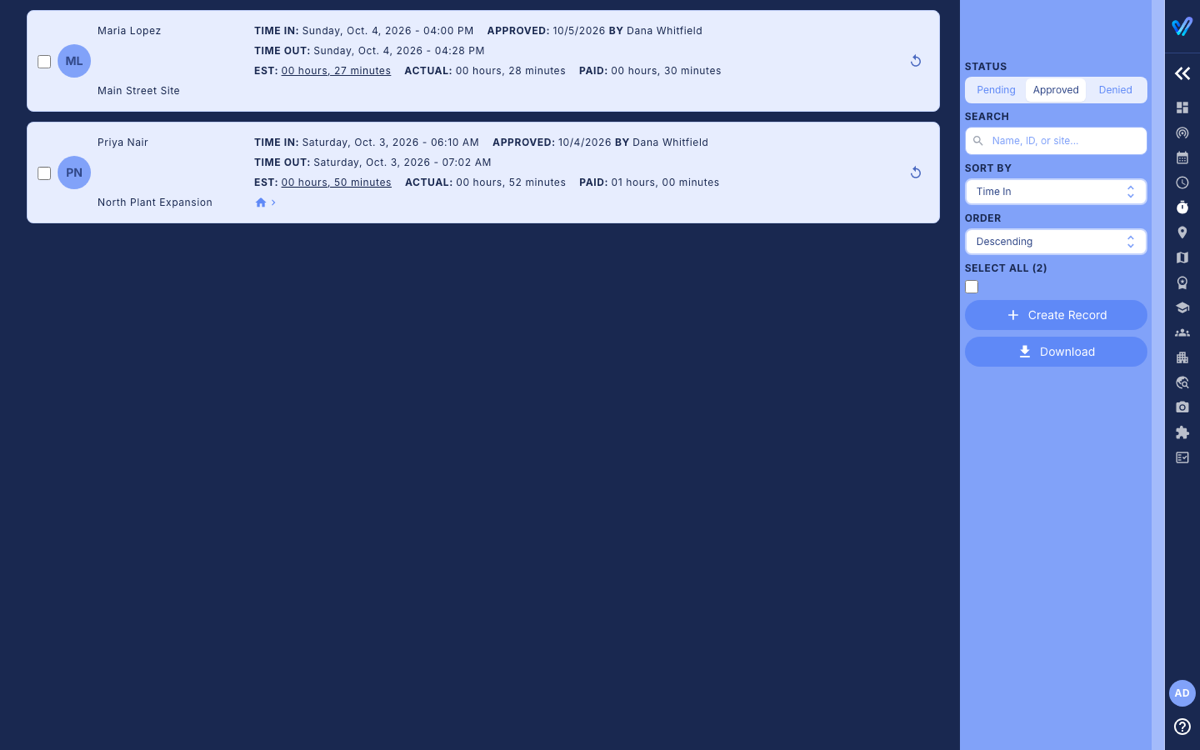
Step 2: Choose the trips
- Date Range: choose Date Work Performed (when the trip happened) or Date Work Approved (when it was approved), then a start and end date. For a pay period, you usually want Date Work Performed.
- Filter by Site/Project: one site, or All approved records.
- Filter by Approver: one person's approvals, or All Approvers.
The box at the bottom shows how many trips match. Click Next.
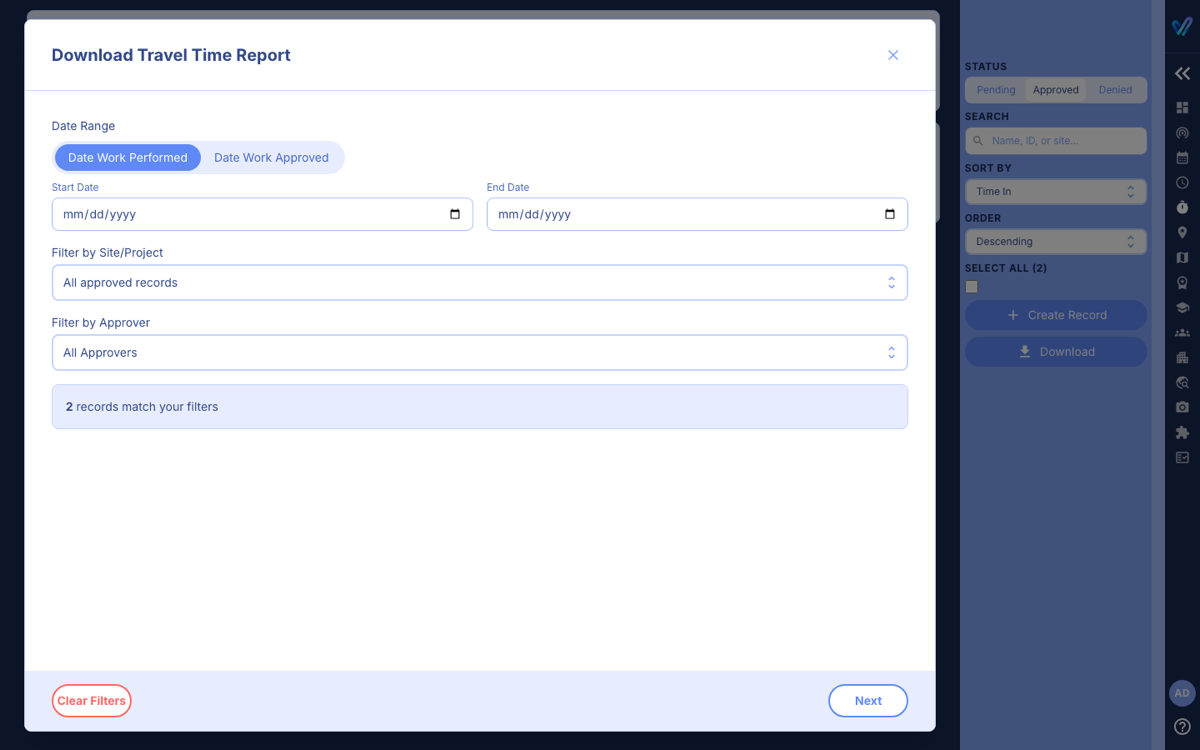
Step 3: Choose the columns
Tick the columns you want. The common ones are ticked for you; the Granular (opt-in) ones add detail such as locations, home flags, the worker's explanation and the denial reason, plus hour-based versions of the duration columns. The Preview shows an example row so you can see the layout; it is not one of your records.
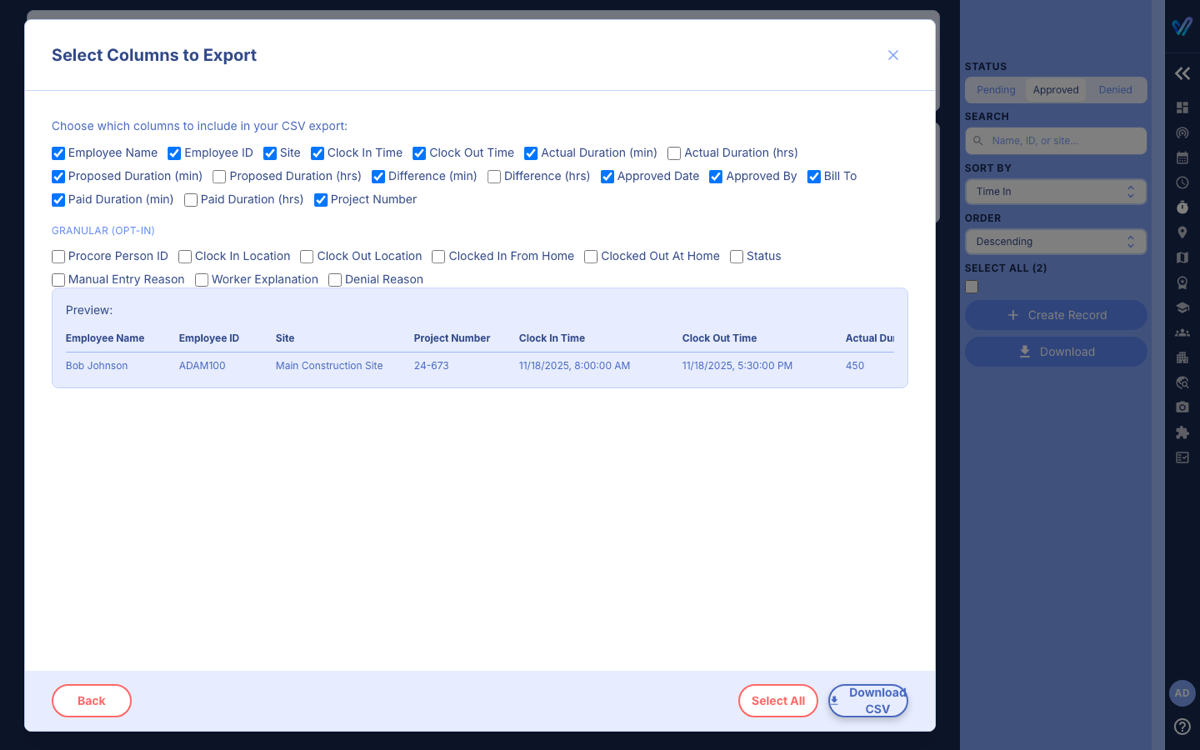
Click Download CSV. The file is saved as travel_time_report_ followed by today's date.
What is in the file
- Durations are in minutes unless you ticked an (hrs) column.
- Paid Duration is the amount chosen when the trip was approved. Actual is the clocked time, and Proposed is the Google Maps estimate.
- Employee ID is the ID entered on the employee's profile in Team.
- Undoing an approval later does not change a file you already downloaded. Download it again.
Was this article helpful?
That’s Great!
Thank you for your feedback
Sorry! We couldn't be helpful
Thank you for your feedback
Feedback sent
We appreciate your effort and will try to fix the article