vTime uses your headquarters (HQ) and jobsite locations to recognize where an employee is when they clock in, and to work out travel. Keeping them correct keeps travel time accurate.
Who can do this: admins only.
TABLE OF CONTENTS
Why addresses matter
- HQ: when an employee clocks in within about 500 meters (a third of a mile) of your HQ, vTime knows they are at HQ, and employees can choose HQ as a starting point or destination when adding a trip by hand.
- Sites: each jobsite's map location and radius let vTime recognize the site at clock-in and measure trips between sites.
Checking your HQ address
- Click the Vendoor logo at the top of the menu on the right to open Admin Tools, then choose Address / Geocoding.
- Under HQ Address, check the address and its status. OK means vTime has its map location.
- If it shows Missing, or the address is wrong, click Edit if needed, then Geocode. Check the address and map coordinates vTime found, then click Save.
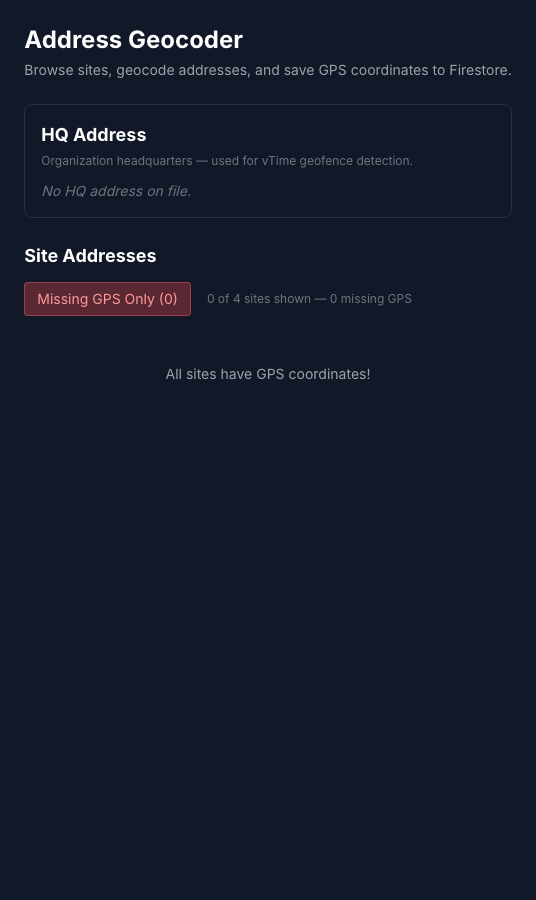
If it says No HQ address on file, as in the picture, there is no address to work from on this page. Contact Vendoor support to add it.
Checking site locations
The same page lists your sites under Site Addresses. Click Missing GPS Only to see any site vTime cannot place on the map, then Geocode and Save it. A site's address, pin and recognition radius are set when the site is created on the Sites page.
Was this article helpful?
That’s Great!
Thank you for your feedback
Sorry! We couldn't be helpful
Thank you for your feedback
Feedback sent
We appreciate your effort and will try to fix the article